Disclosure: 4Klive is developed by the RabbitAI TV team. We rank it #1 for Fire TV and Android TV and explain why below, limitations included. Prices for other apps were checked in October 2026 and can vary by region.
An IPTV app is the player that turns your provider's login into a TV guide, channel list and video. It does not include any channels: you still need your own Xtream Codes account or M3U link from a provider. Picking the right player matters more than most people think. It decides how fast channels switch, whether the guide is readable from the couch, and whether 4K streams play smoothly or stutter.
Here are the 7 players worth installing in 2026, grouped by the device you actually watch on.
The short answer
- Fire TV and Android TV: 4Klive (best overall), TiviMate (best for power users)
- Free, on almost any device: IPTV Smarters Pro
- Apple TV, iPhone and iPad: UHF (best overall), IPTVX (most polished), iPlayTV (one-time price)
- Samsung and LG smart TVs: IBO Player Pro
Comparison table
| App | Devices | Price (approx.) | Best for |
|---|---|---|---|
| 4Klive | Fire TV, Android TV, Google TV | 7-day free trial, then $9.99/year or $24.99 lifetime | A fast, remote-first player on the living-room TV |
| TiviMate | Fire TV, Android TV, Google TV | Free version; Premium about $9.99/year or ~$34 lifetime | Power users who want recording and multi-view |
| IPTV Smarters Pro | Android, Fire TV, iPhone, iPad, Windows, Mac | Free | One free app on many devices |
| UHF | Apple TV, iPhone, iPad, Mac | Free; Pro $17.99/year or $49.99 lifetime | Apple TV owners |
| IPTVX | Apple TV, iPhone, iPad, Mac | Free; full version from $3.99/month or $28.99/year | The most polished Apple experience |
| iPlayTV | Apple TV | About $5.99 one-time | Apple TV, without a subscription |
| IBO Player Pro | Samsung, LG, Android | 7-day trial, then about €6/year or €14 lifetime per device | Smart TVs without a streaming stick |
1. 4Klive: best IPTV app for Fire TV and Android TV
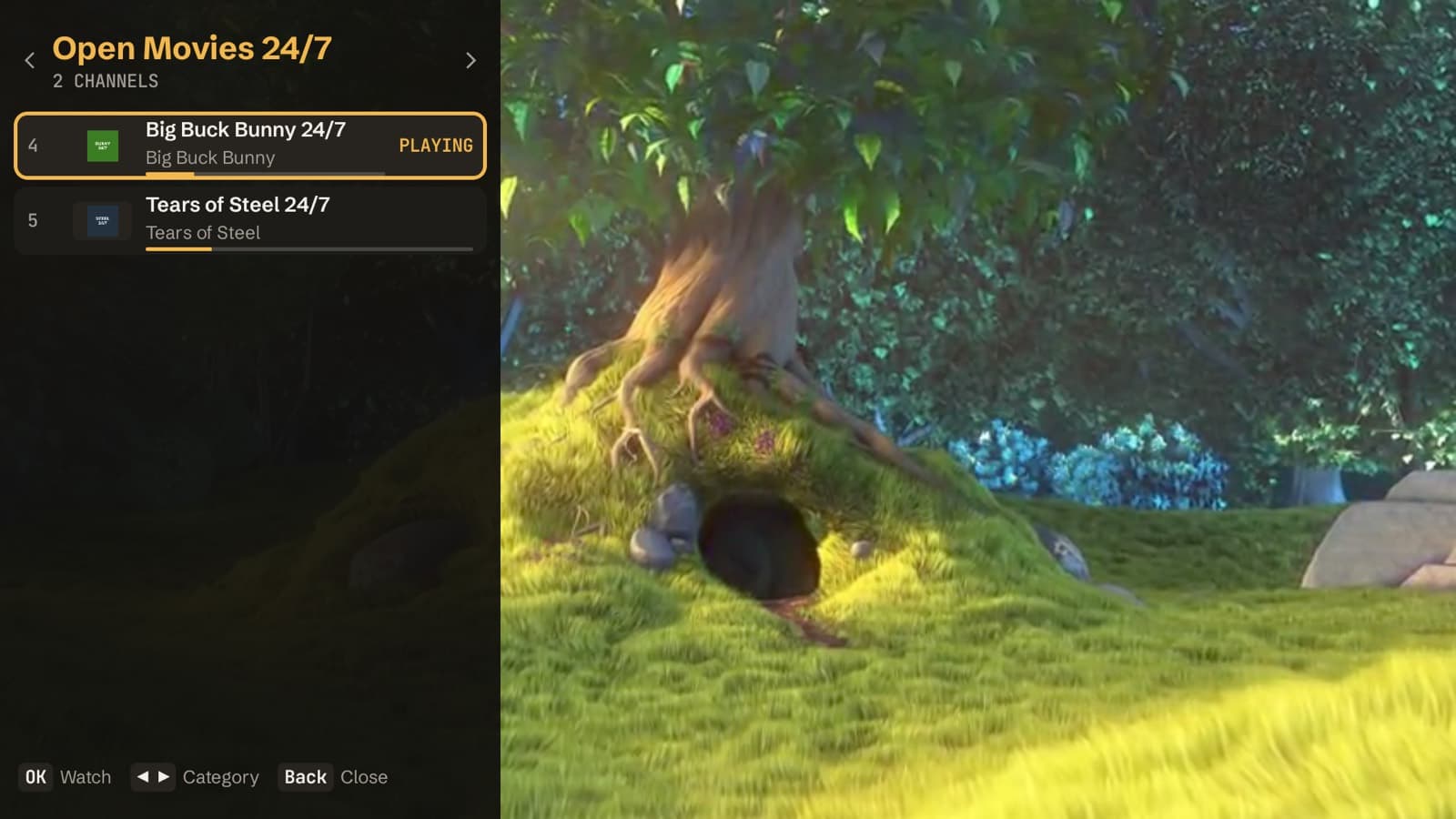
4Klive is a native player built for the TV remote first, rather than adapted from a phone app. The screenshots in this article come from version 1.2.0 running on Android TV.
What stands out
- No typing on the remote. On first launch the TV shows a code and a PIN. You scan the QR code with your phone and add your playlist there, and the TV connects on its own.
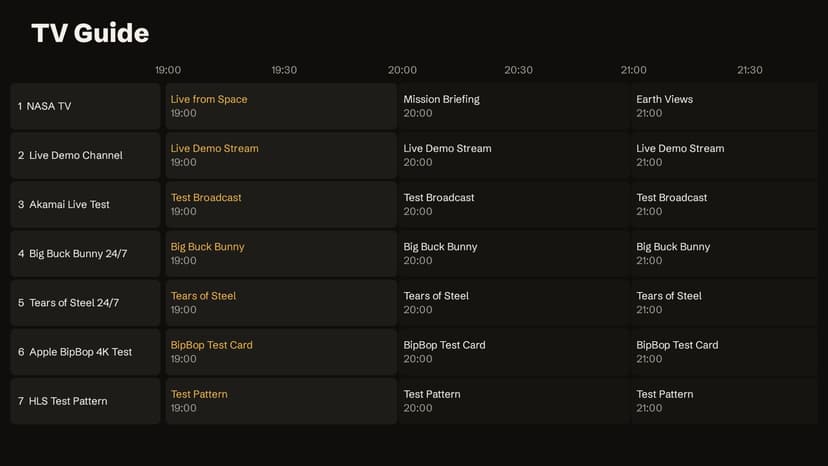
- Live TV with now/next on every channel. The channel list shows the current programme, its progress and what's next, and a full TV guide is one click away.
- Channel list over the picture. Press OK while watching to browse categories and switch channels without leaving the stream.
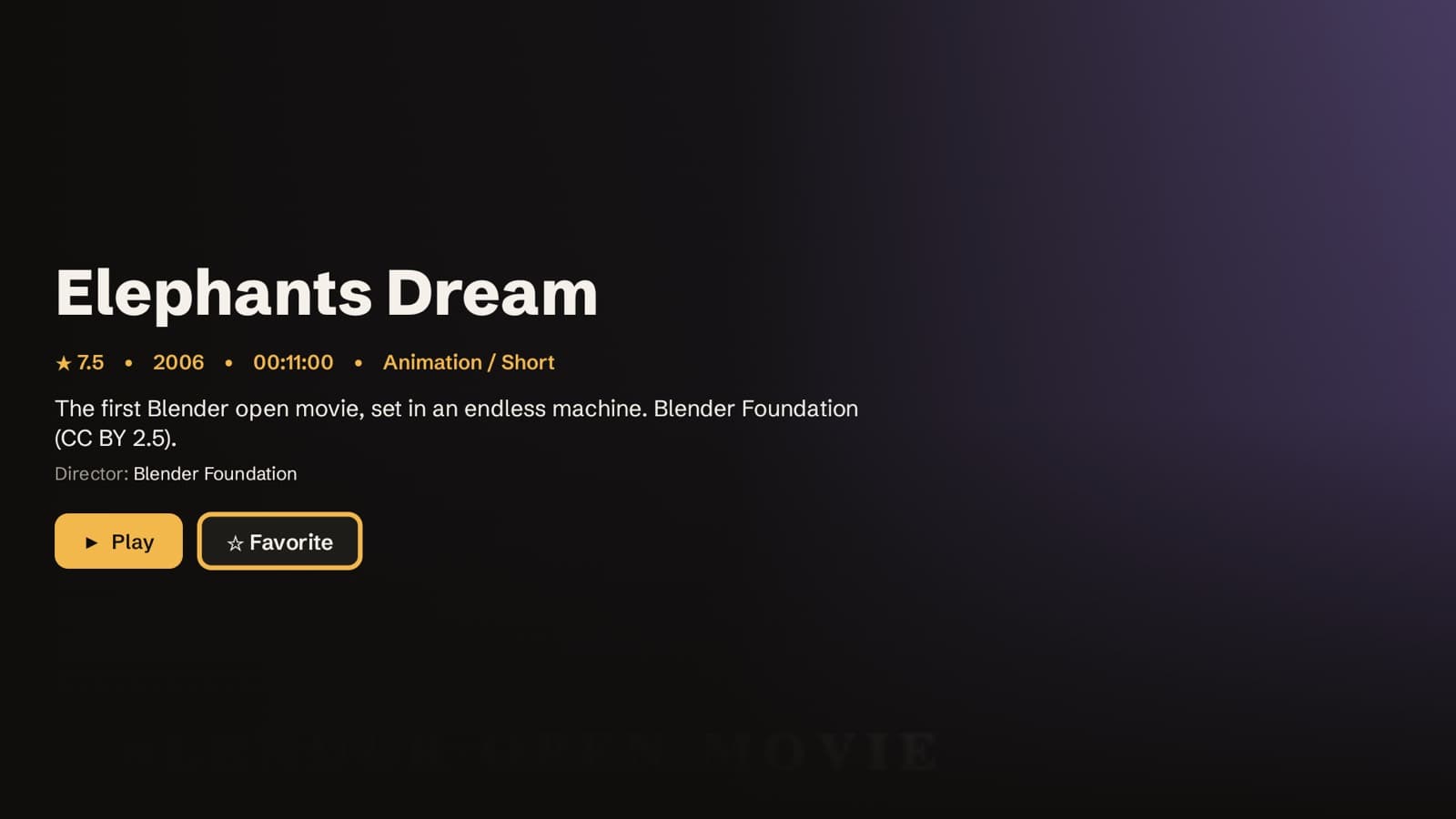
- Movies and series with posters, details and "continue watching".
- Catch-up on channels where your provider supports it.
- Favorites, watch history, search, profiles and a parental PIN on locked categories.
- Multiple audio tracks and subtitles, and an interface in English or French.
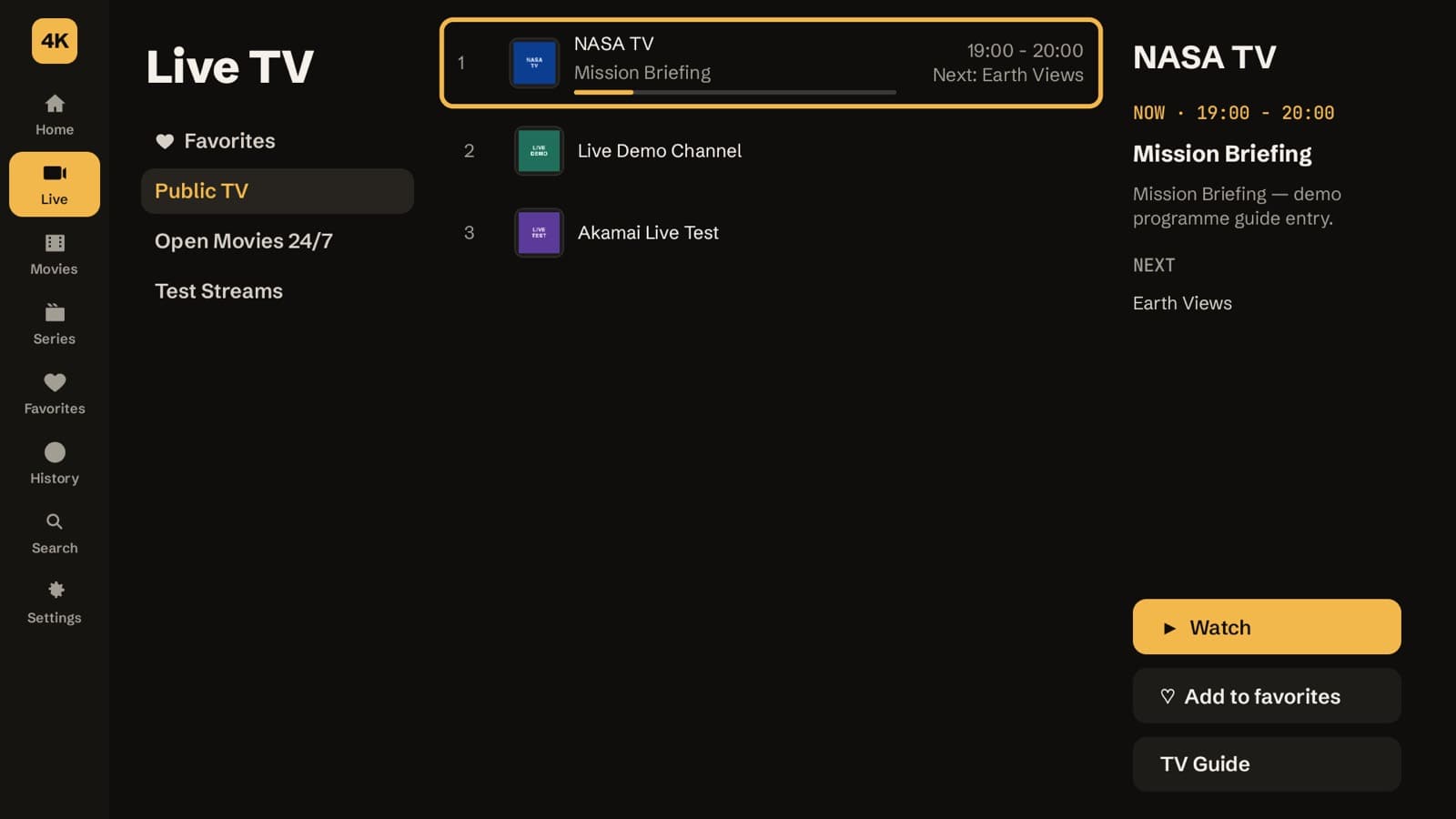
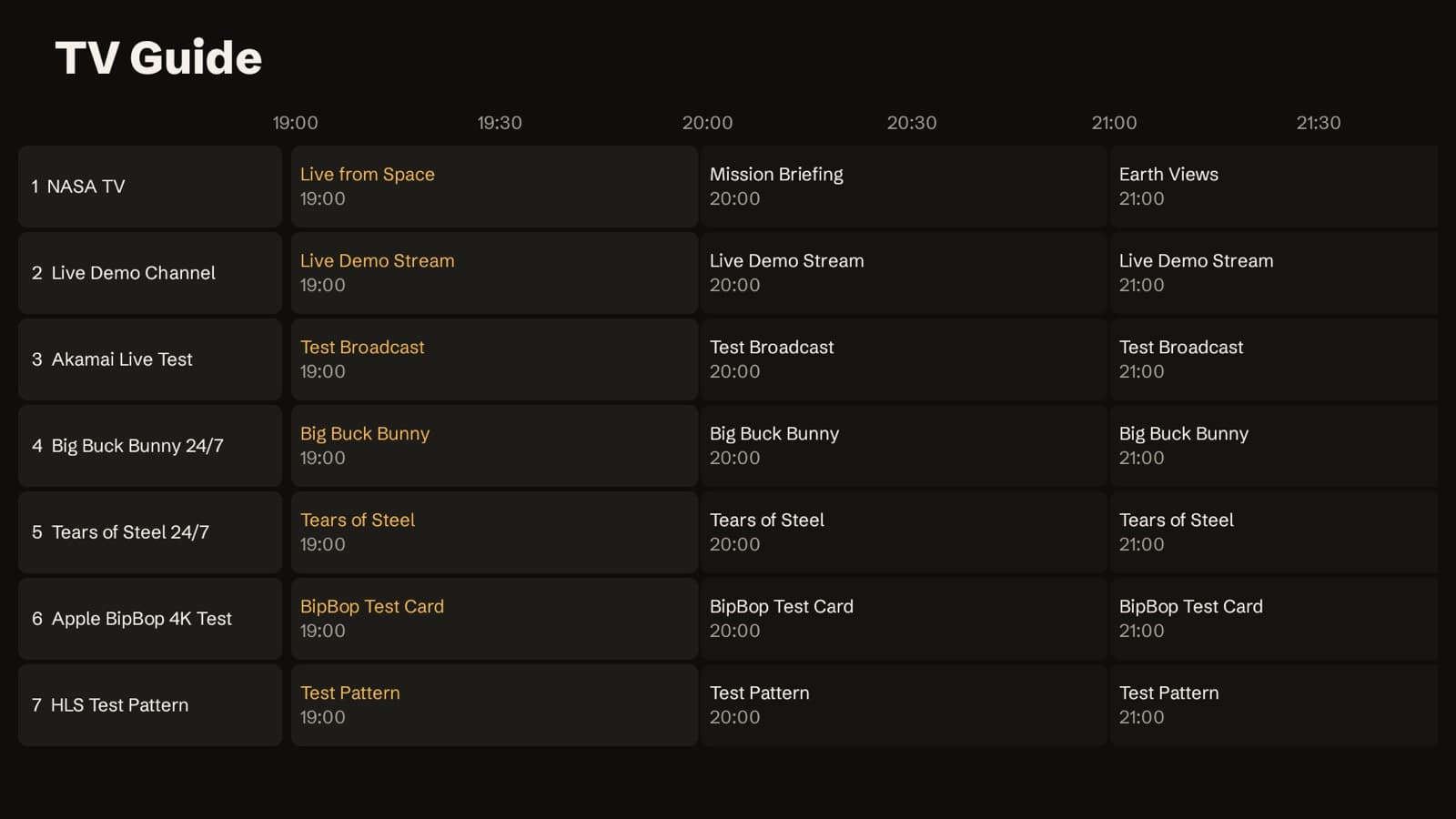
Price. The 7-day free trial starts automatically on first launch, with no sign-up. After that it costs $9.99 per year or $24.99 once for a lifetime licence. One licence activates one TV.
Limitations
- It is not in the Google Play Store or the Amazon Appstore yet. You install it with the Downloader app (code 9234307) or the APK.
- It runs on Fire TV, Android TV and Google TV only. Samsung and LG versions are not available yet.
- It works best with an Xtream Codes login. Plain M3U links work too since version 1.3.0 (live channels, movies and TV guide), but without series sections or catch-up.
- There is no recording and no multi-view. If you need those, look at TiviMate.
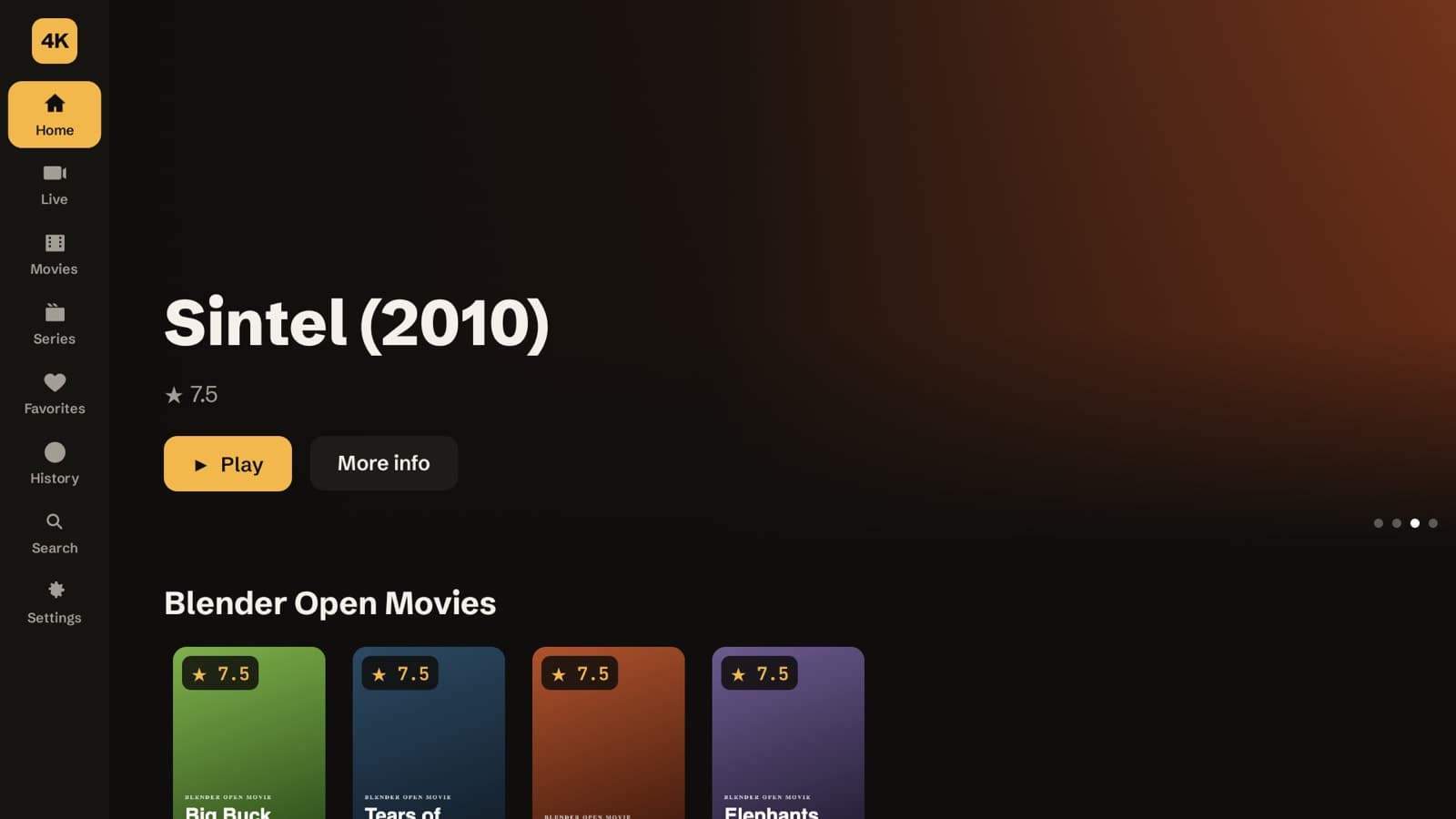
Who it's for: anyone who watches on a Fire Stick or an Android TV box and wants a clean, quick player without menus built for a touchscreen. Download 4Klive or read the full feature list.
2. TiviMate: best for power users on Android
TiviMate has been the reference IPTV player on Android TV for years, and it shows. Its guide is dense and fast, and Premium adds features that no other TV player matches:
- recording to a USB drive or network storage;
- multi-view (several channels on screen at once);
- catch-up and multiple playlists.
Price. The free version is limited. Premium costs about $9.99 per year or around $34 for lifetime (prices vary by region), and one purchase covers up to 5 devices. You buy it through the TiviMate Companion app on an Android phone.
Limitations. It is Android-only: no Apple TV, no Samsung or LG. The interface takes some learning, and the purchase step is less direct than in other apps.
Who it's for: heavy users who want recording or multi-view and don't mind a busier interface. If you go this way, follow our TiviMate installation guide.
3. IPTV Smarters Pro: the free option for almost every device
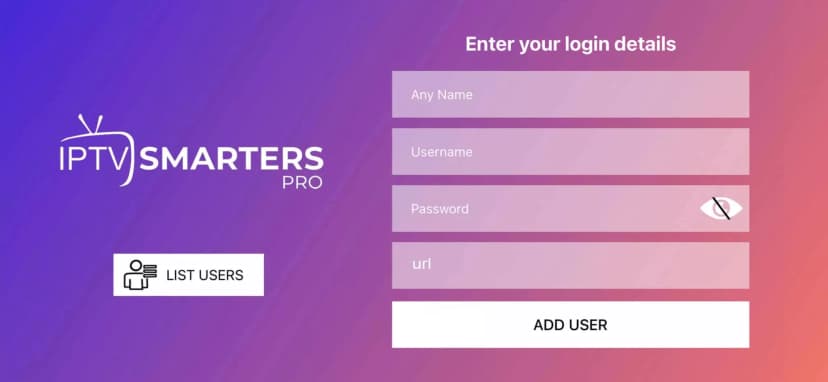
IPTV Smarters Pro is probably the most installed IPTV player in the world, mainly because it is free and exists on Android, Fire TV, iPhone, iPad and computers. It handles both Xtream Codes and M3U playlists.
Limitations. The interface is dated and clearly designed for touchscreens. On a TV remote it is slower to navigate than 4Klive or TiviMate. Availability in official app stores also changes from region to region, so on Fire TV it is often sideloaded. Make sure you install the official app.
Who it's for: people who want one free app on every screen and don't mind a basic experience.
4. UHF: best IPTV app for Apple TV
UHF is the strongest all-rounder on Apple devices. It runs on Apple TV, iPhone, iPad and Apple Silicon Macs, and supports:
- M3U and Xtream Codes, plus Plex, Jellyfin and Emby;
- a TV guide and catch-up;
- 4K HDR, Dolby Vision and Dolby Atmos.
Price. Free to start. Pro costs $1.99 per month, $17.99 per year or $49.99 lifetime (US App Store).
Who it's for: Apple TV owners who want one app that does everything.
5. IPTVX: the most polished Apple experience
IPTVX feels like a native Apple app. It offers:
- iCloud sync between devices, AirPlay and HDR playback;
- support for M3U, Xtream Codes and Plex;
- multiple playlists, EPG, catch-up and parental controls.
Price. The full version is a subscription, from $3.99 per month or $28.99 per year (US App Store).
Who it's for: people who live in the Apple ecosystem and value design over price.
6. iPlayTV: a simple one-time purchase for Apple TV
iPlayTV is a focused Apple TV player without a subscription: about $5.99, paid once. It has fewer extras than UHF or IPTVX, but it is stable and easy to set up.
Who it's for: Apple TV users who want something simple and hate subscriptions.
7. IBO Player Pro: best for Samsung and LG smart TVs
If you watch directly on a Samsung (Tizen) or LG (webOS) TV, without a streaming stick, IBO Player Pro is one of the few solid options available in those TVs' app stores.
Price. After a 7-day trial you activate it per device, for roughly €6 per year or €14 for lifetime. The exact price varies by reseller. Activation uses the TV's MAC address.
Limitations. The interface is basic, and each TV needs its own activation.
Who it's for: smart TV owners who don't want to plug in a Fire Stick. Tip: a Fire TV Stick costs little and gives you access to better players like 4Klive and TiviMate.
How to choose the right IPTV player
- Start from your device. On Fire TV or Android TV, choose between 4Klive and TiviMate. On Apple TV, choose UHF or IPTVX. On a Samsung or LG TV, use IBO Player Pro, or add a Fire Stick.
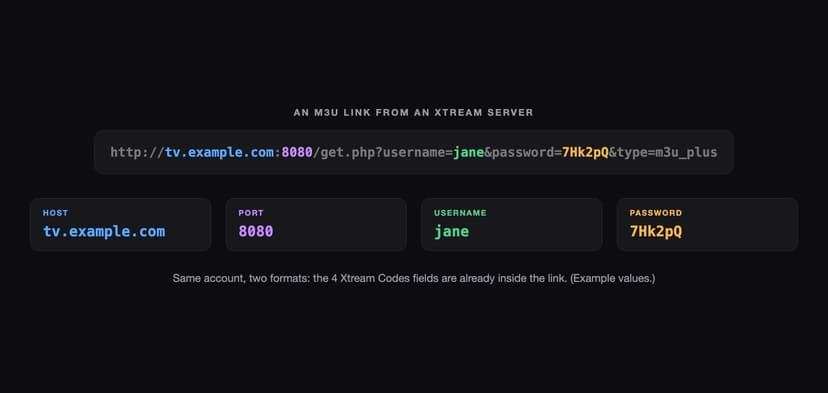
- Check the playlist format. Most providers give you Xtream Codes details (server, username, password). 4Klive works best with these, and since version 1.3.0 it also opens plain M3U links, like Smarters, UHF and IPTVX. Not sure which one you have? See Xtream Codes vs M3U.
- Decide which features you will really use. Recording and multi-view mean TiviMate. A fast guide and an easy setup point to 4Klive.
- Use the free trials. 4Klive, TiviMate's free version, UHF and IBO Player Pro can all be tested before you pay.
How to install 4Klive on a Fire TV Stick
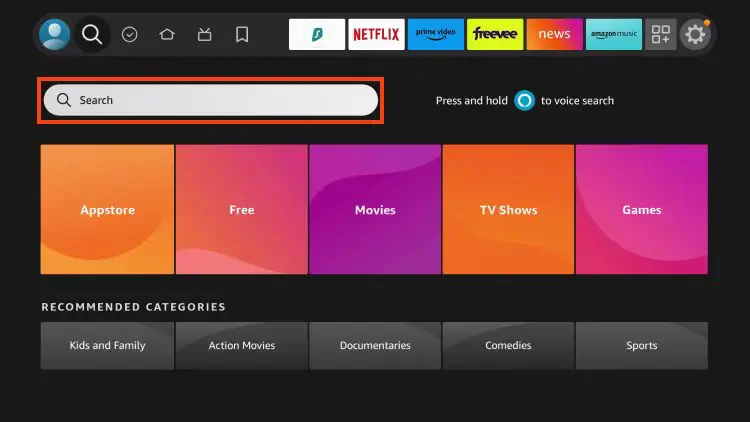
- On the Fire TV home screen, search for the Downloader app and install it.
- Go to Settings > My Fire TV > Developer options and allow Install unknown apps for Downloader.
- Open Downloader and enter the code 9234307.
- Install 4Klive and open it. Your 7-day trial starts automatically.
- Scan the QR code shown on the TV with your phone and add your playlist. The TV connects by itself.
The full walkthrough, with fixes for common errors, is in our guide How to install IPTV on Firestick.
Frequently Asked Questions
Are IPTV apps legal?
Yes. An IPTV player is ordinary software, like any video player. What can be illegal is the content: streaming channels without permission from the rights holders. Only use playlists from providers that are allowed to distribute the channels they offer.
Do IPTV apps include channels?
No. Every app in this list is a player only. You add your own playlist (Xtream Codes login or M3U link) from your provider.
What is the best IPTV app for Firestick in 2026?
4Klive for most people: it is remote-first, quick to set up and has a 7-day free trial. TiviMate is the better choice if you need recording or multi-view.
Can I use an M3U playlist with 4Klive?
Yes. M3U links generated by an Xtream Codes server work, and since version 1.3.0 standalone M3U links work too: live channels, movies and the TV guide (from your provider's EPG link). Series sections and catch-up need an Xtream Codes login.
Is there a free IPTV player?
IPTV Smarters Pro is free. UHF and IPTVX have free tiers, and TiviMate has a limited free version. 4Klive is free for 7 days, then $9.99 per year or $24.99 for lifetime.
Screenshots: 4Klive 1.2.0 on Android TV, using a demo playlist of open content: Big Buck Bunny, Tears of Steel and Elephants Dream (© Blender Foundation, CC BY), plus public test streams. Logos and posters shown are placeholder title cards.